Mionix CASTOR COLOR Firmware / Software
Mionix Hub 1.6 for Windows
Mionix Hub 1.6 for Mac
Istruzioni per l’installazione:
Install the Mionix HUB software
Run the Mionix HUB software and go to the information tab
Click the Update button
Choose the firmware file (.mnx) you downloaded
Wait for the installation to finish
Now your Castor has the latest firmware installed
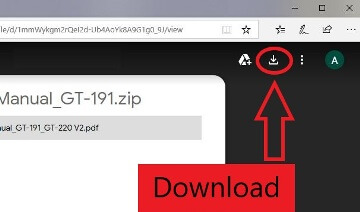
Come scaricare i file che si trovano su Google Drive:
Se riscontri problemi nell'installazione di driver o altri software per il tuo dispositivo (stampante, scanner, monitor, tastiera, ecc.), comunicaci il modello del tuo dispositivo e la versione del tuo sistema operativo (ad esempio: Windows 11, Windows 10 64 bit, Windows 8 64 bit, ecc.) e cercheremo di aiutarti. Inviaci un'e-mail.


